How to Sandbox an AI Coding Agent (and What Fails)
For coding agents, put isolation outside the workspace, remove long-lived credentials, and verify filesystem and egress boundaries with real test commands.
Filed under Agent Reliability· see every report on this topic
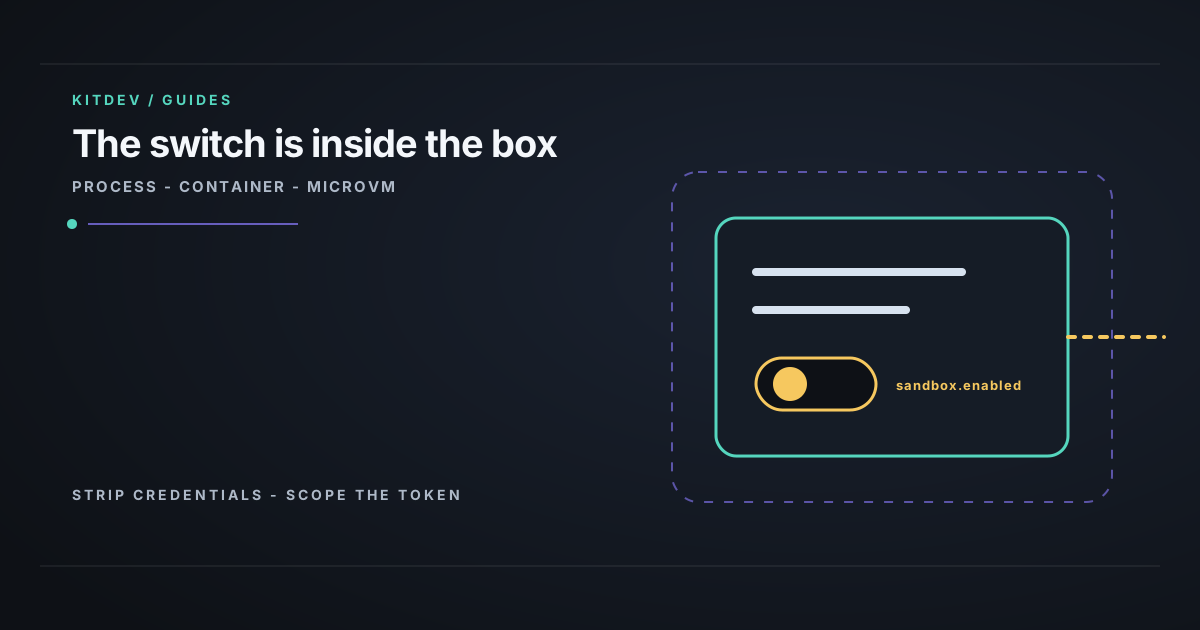
Verdict: A sandbox configured by files in the agent’s workspace is not a boundary. Start the agent in a container from outside that workspace, remove long-lived credentials, issue a scoped short-lived token, and deny egress by default. That covers most real incidents for $0. Use hypervisor isolation when you run other people’s code, share a host between tenants, or a bad run can reach production.
The operator and the leak
This is for the engineer letting a coding agent edit a repository. The leak is reach: a cloned repository, inherited token, or permissive network path can turn an ordinary bad run into access outside the job.
Risk signals:
- Sandbox settings sit in a directory the agent edits, such as
.claude/settings.json. - The agent uses
--dangerously-skip-permissionsor an equivalent auto-approve mode. - You open a cloned third-party repository with the agent enabled.
envin the agent environment returns a long-lived token.- You cannot say whether the agent can reach the public internet without checking.
Put the boundary outside the workspace
Four open anthropics/claude-code issues describe the same problem. Their titles were fetched and confirmed verbatim on 2026-08-22; they are user reports and open issues, not confirmed vendor behaviour.
| Issue | Report |
|---|---|
| #86504 | Project settings.json can set sandbox.enabled: false. |
| #84863 | Filesystem reads are unrestricted; editing settings.json can break enforcement. |
| #87381 | Relayed in-sandbox CONNECT bypasses the network allowlist. |
| #83760 | A denied tool call was executed anyway: a PowerShell tool ran despite “deny”. |
The first two show why repository-scoped containment is not containment. A cloned repository can already contain {"sandbox": {"enabled": false}} before the agent starts. #83760 removes the human fallback: the user clicked deny, the model received the denial, and the tool ran. Any design that ends in “the operator will catch it” depends on that path working.
The useful distinction is who can change the rule.
| Tier | Enforced by | Can the agent reconfigure it? |
|---|---|---|
| Process: allowlists and permission prompts | The process running the agent | Often, through workspace files |
| Container: Docker, gVisor, Kata | Host kernel, configured at start | No |
| MicroVM: Firecracker and equivalents | Hypervisor and guest kernel | No |
The practical rule: move from process to container first. That moves configuration outside the agent’s reach. Move from container to microVM when code you did not write makes the shared host kernel a concern. A Cursor forum answer calls its allowlist “best-effort, not a security boundary”; that applies to the first tier generally. One Hacker News practitioner put the operational rule plainly: “I’ve been running Claude Code with --dangerously-skip-permissions in a Docker container… I definitely wouldn’t want to run it unsandboxed.”
Build the minimum viable boundary
Apply these in order:
- Remove long-lived credentials. Do not pass cloud keys, a production database URL, or an org-wide personal access token into the agent environment.
- Issue one repository-scoped, short-lived credential. A token that expires is safer than a durable broad token, even in a strong boundary.
- Start the container from outside the workspace and mount only the work directory. The point is that the agent cannot edit the containment configuration.
- Deny egress by default, then allow only what the job needs, usually a package registry and one API. #87381 is why this list must stay short enough to inspect.
- Keep the workspace disposable. Recovery should be deleting it and re-cloning.
Steps 1 and 5 do most of the work. A mounted .env or inherited shell environment defeats every tier. The isolation can remain intact while the secret is gone.
Verify the boundary you actually have
Run this inside the agent environment in a disposable workspace. It tests credentials, filesystem containment, and egress rather than trusting a vendor page.
# Run inside the agent's environment. Prerequisite: a disposable workspace.

# 1. Credentials in reach — target output is nothing.
env | grep -Ei 'token|secret|key|password|_api'

# 2. Filesystem containment — should fail or be empty if confined.
ls -la / 2>&1 | head -5
cat ~/.aws/credentials 2>&1 | head -1

# 3. Egress — should fail if the allowlist is real.
curl -s -o /dev/null -w '%{http_code}\n' --max-time 5 https://example.com
Expect no output from step 1, a permission error or empty result from step 2, and a timeout or non-200 from step 3. A 200 means unrestricted outbound access, which is an exfiltration path even if the filesystem is contained. Then ask the agent to do the same tests; the gap between its reach and the shell’s is the part documentation rarely describes.
Name the remaining failure modes
- Relayed egress: #87381 reports direct
CONNECTblocked but relayedCONNECTallowed. Anything started inside the boundary may proxy for the agent. - Config drift: a rebase, merge, or clone can alter any containment setting stored in the repository. Keep those settings outside the version control the agent touches.
- Spend: containment limits reach, not cost. A contained agent can still burn budget. See why your LLM spend limit doesn’t actually stop spending.
- Permission design: if an agent is destructive inside a correctly configured boundary, inspect auto-approve modes and #83760-class behaviour rather than the container runtime.
Do not assume a managed sandbox blocks egress
A documentation check across E2B, Modal, Daytona and Runloop found egress policy undocumented on all four. They publish CPU, memory, and pricing; they do not state what a sandbox may reach by default.
Daytona’s trackers show the same gap: #4463 requests native egress traffic routing, while #3055 asks about network access for a local deployment. Treat an undocumented egress policy as something to test.
Bottom line
For an agent working on your own code, a credential-free container launched outside the workspace is usually enough. Use a microVM when tenant separation, untrusted code, or production reach changes the risk. If the problem is cost, use a spend control; isolation does not meter anything.
Reference
Related posts
Why Your LLM Spend Limit Doesn't Actually Stop Spending
Spend limits read stale balances, so they stop nothing under concurrency. Test with xargs -P 20, read the 200/429 difference, and fix it with a gateway cap.
Are Google's 'Leaked' AI Ranking Signals Testable?
Audit the viral '7 leaked Google ranking signals': what the public API documents, what console labels do not prove, and why consumer AI Mode remains unverified.
Fix Broken Tool Calls in vLLM, SGLang and llama.cpp
Malformed JSON, stalled generation, hard crashes. Three causes across four engines, an ordered bisect costing one restart each, and the 21 issues behind them.
Get the next verdict before it's everywhere.
One email when a new lab post or cost table ships. No spam, no confirmation step — unsubscribe anytime.